Import and export everything
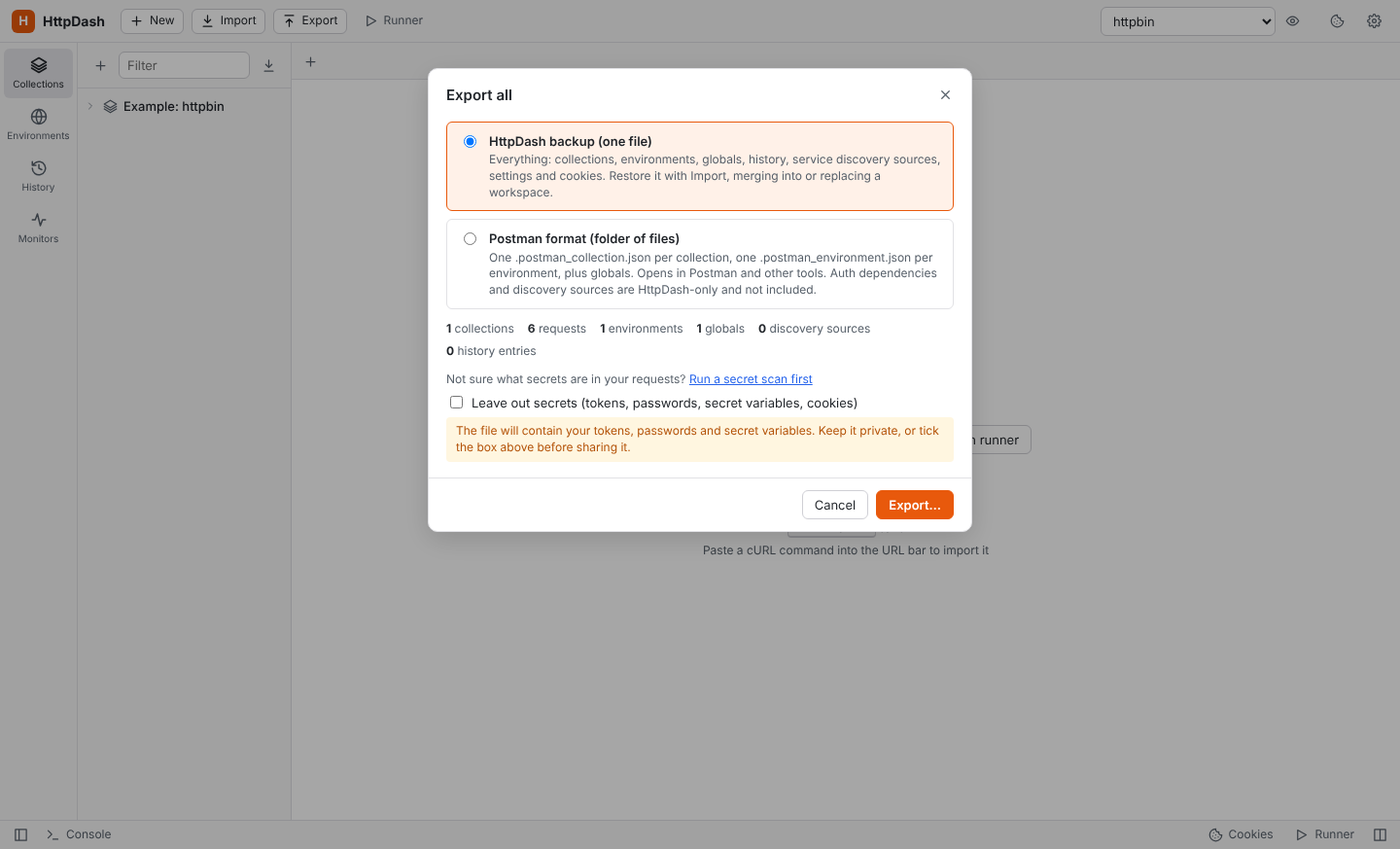
Export (top bar) offers two formats:
- HttpDash backup: one
.jsonfile with collections, environments, globals, history, service discovery sources, settings and cookies. Monitors, tunnels, team repositories and request versions stay on this computer. - Postman format: an
httpdash-export-<date>folder with one.postman_collection.jsonper collection, one.postman_environment.jsonper environment, and a globals file, ready for Postman or teammates. Auth dependencies, discovery sources and WebSocket requests are HttpDash-only, so they are not in these files; tags are kept asx-httpdash-tags.
Tick Leave out secrets before sharing an export. This empties secret variables and the variables holding auth-dependency tokens, removes credentials typed into auth fields, including those of saved examples and history (references like {{token}} are kept), and drops discovery tokens and secret-looking discovery headers, the proxy password, certificate passphrases and cookies. It does not touch credentials typed straight into headers, URLs, scripts, bodies or saved responses, or the resolved URLs and headers in history: run Scan for Secrets first (it's in the Export dialog). Without it, the file contains your credentials.
Import accepts all of these, and several files can be selected at once (for example a whole Postman export folder). For a backup, you choose:
- Merge: adds everything; collections, environments and discovery sources with the same id are added as copies marked "(imported)", history you already have is skipped, existing global keys are kept, and cookies with the same name, domain and path are replaced. Your settings stay as they are.
- Replace: swaps your collections, environments, globals, history and discovery sources for the backup's, and applies its settings over yours (a backup without cookies keeps your cookies). It asks for confirmation first.