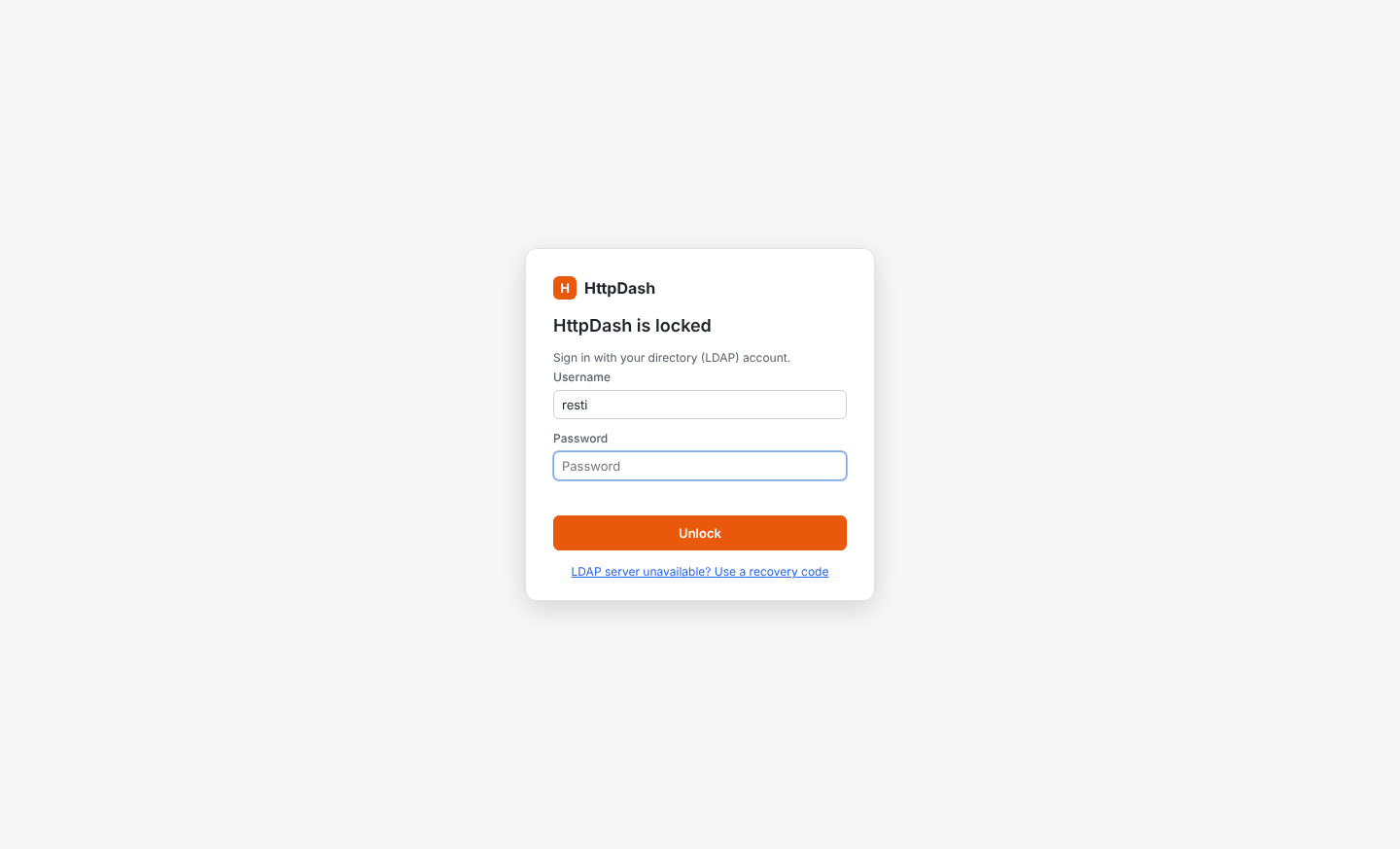
App lock with LDAP sign-in
HttpDash can require a directory (LDAP) sign-in before it opens. Set it up in Settings → Security:
- LDAP server:
- Enter the server address:
ldap://…:389orldaps://…:636, with optional StartTLS and certificate verification. - Choose how to find the user. Either a DN template such as
uid={username},ou=people,dc=example,dc=com, or search then bind: a service account searches a base with a filter such as(uid={username}). Use the second when users live in different branches. - Optionally require membership of a group. HttpDash checks
member,uniqueMemberandmemberUid.
- Enter the server address:
- Test a sign-in with your own account.
- Turn the lock on, which is only possible after a successful test of the current settings:
- Choose which users may unlock.
- Optionally lock after N minutes of inactivity.
- Save the one-time recovery code.
Once on, HttpDash starts locked. You can lock it any time with the lock button in the top bar or Ctrl/Cmd+L.
- What locked means: the main process refuses to hand any workspace data to the window until a sign-in succeeds, so nothing is in the window to read.
- Recovery code: if the LDAP server is unreachable, the code unlocks HttpDash and turns the lock off, so you can fix the settings.
- Changing settings: with the lock on, the LDAP settings are read-only. Turning the lock off requires signing in again.
- Safety measures:
- Empty passwords are refused at sign-in, because many LDAP servers treat them as an anonymous bind that "succeeds".
- Usernames are escaped before they go into LDAP filters and DNs, and a search that finds more than one user is refused.
- After 5 failed attempts, each further one waits 30 s longer, up to 5 minutes, until HttpDash restarts.
- The service-account password is encrypted with the OS keychain (where there is none, as on Linux without a keyring, it is only encoded).
- Lock settings live in their own
security.json, which backups never include.
- Limitation: the lock protects the app; it does not encrypt your data files on disk.