Auth dependencies (auto-refresh tokens)
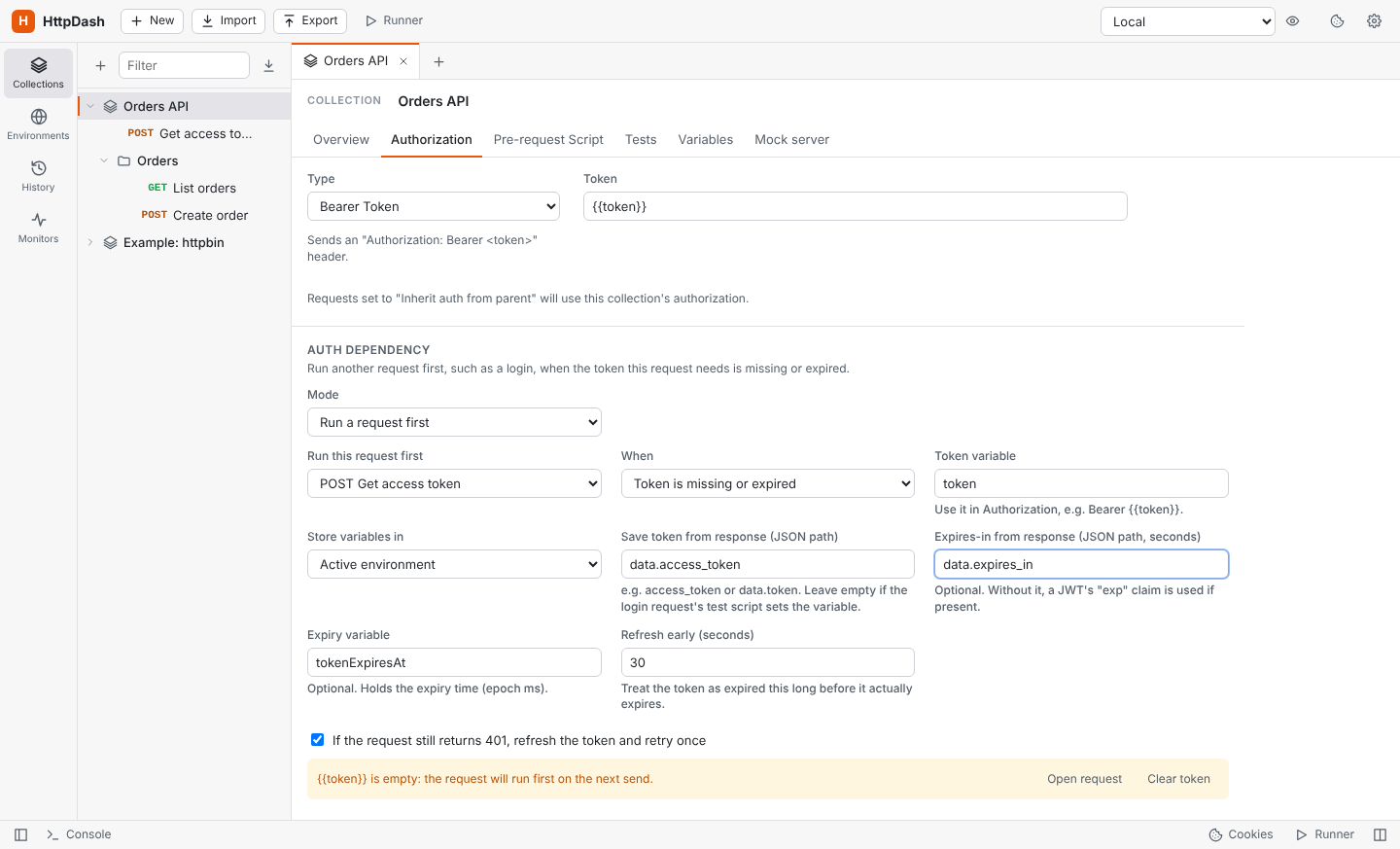
A collection, folder or request can name another request, such as Login, to run first when the token it needs is missing or expired. Set it up in the Authorization tab under Auth dependency:
- Set the collection's auth to Bearer Token with
{{token}}. - Choose Run a request first and pick the login request.
- Fill in where the token sits in the login response, for example
access_tokenordata.access_token, and optionally theexpires_inpath.
On every send, HttpDash checks {{token}}:
- Empty or expired: it runs the login request first, saves the new token (and its expiry) in the active environment (or the collection variables or globals, if you choose), then sends your request.
- Still valid: it sends your request straight away.
Expiry comes from the expiry variable, which is computed from expires_in. If there's no expiry variable, it uses a JWT token's exp claim; with neither, the token is used until a request gets a 401. The token is refreshed 30 seconds early by default. Before every request runs the login every time instead, and Clear token forgets the saved one.
More details:
- Retry on 401: on by default, if the server still answers 401, it refreshes the token and retries once.
- Logging in by hand: sending the login request yourself saves its token too.
- Inheritance: requests and folders inherit the setting, or can override it or turn it off.
- No loops: the login request never depends on itself, and dependencies nest at most 3 deep.
- Collection Runner: it logs in once and reuses the token, even if the login request is unticked in the run.
- Visibility: the response shows a banner when a dependency ran, and the Timeline shows its details.
Auth dependencies are saved in HttpDash's workspace. Postman's export format has no field for them, so they are not included when you export to Postman.