Desktop API client for Windows & macOS

The API client that logs in for you.

Send requests, write tests, run collections, mock and monitor APIs. HttpDash refreshes expired tokens before your request goes out, builds environments from your service registry, and keeps everything on your own machine.

Windows 10/11 and macOS (Apple Silicon & Intel). No account needed.

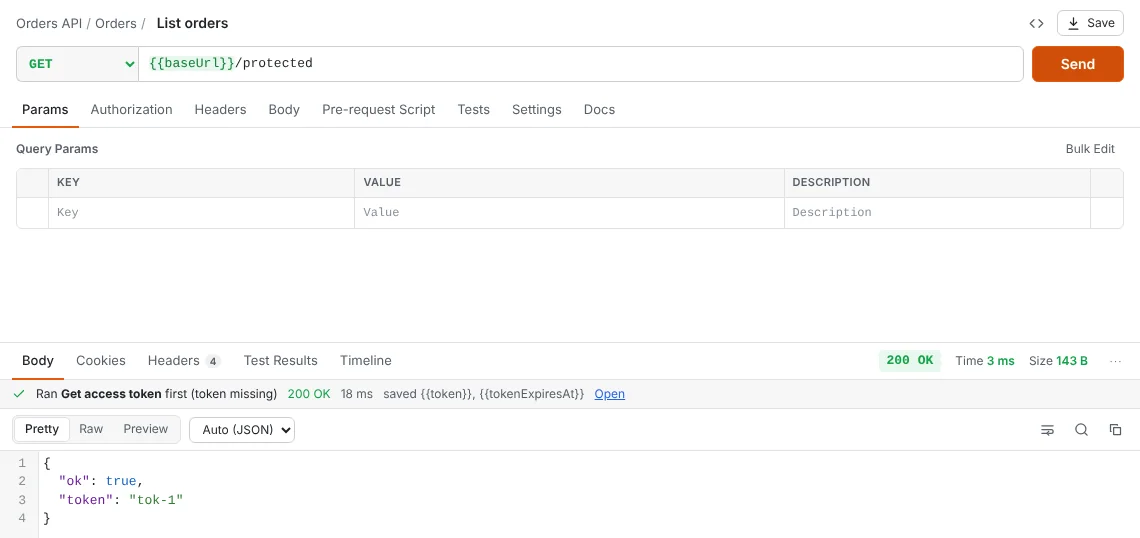
HttpDash sending a request. A banner reads: Ran Get access token first (token missing), 200 OK, saved token.
The login ran on its own because the token was missing, then the request went through.

Built for real APIs

Less setup. Fewer 401s. No copy-pasting tokens.

Tokens that refresh themselves

Point a collection at its login request once. Before every call, HttpDash checks the token: if it's missing or about to expire, it runs the login first, saves the new token, and sends your request. If a server still answers 401, it refreshes and retries.

  • Reads the token from any JSON path, such as data.jwToken
  • Knows when a JWT expires, or uses expires_in
  • Works the same in the runner, monitors and the CLI
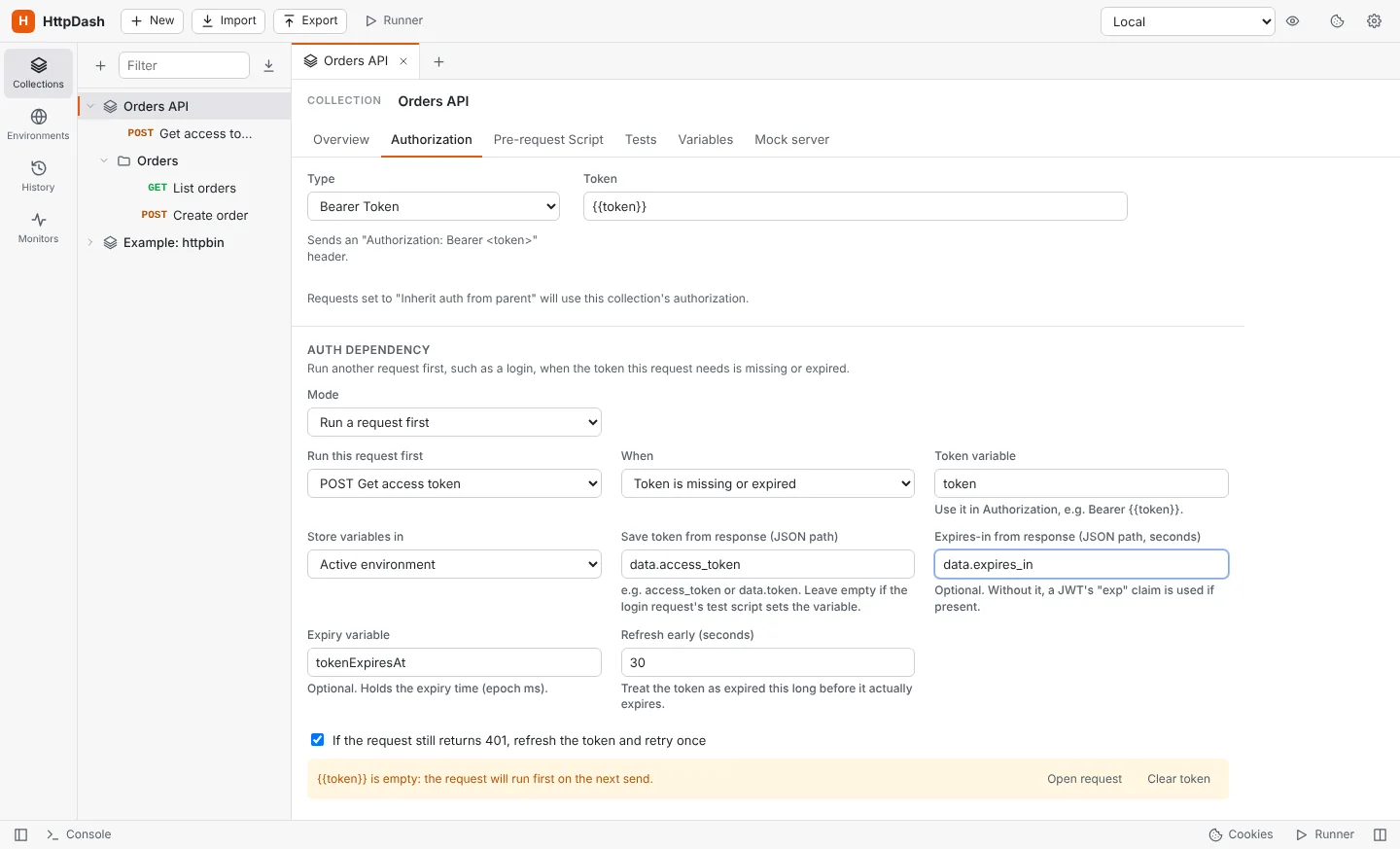
Auth dependency settings: run Get access token first when the token is missing or expired, save the token from data.access_token.

Environments from your service registry

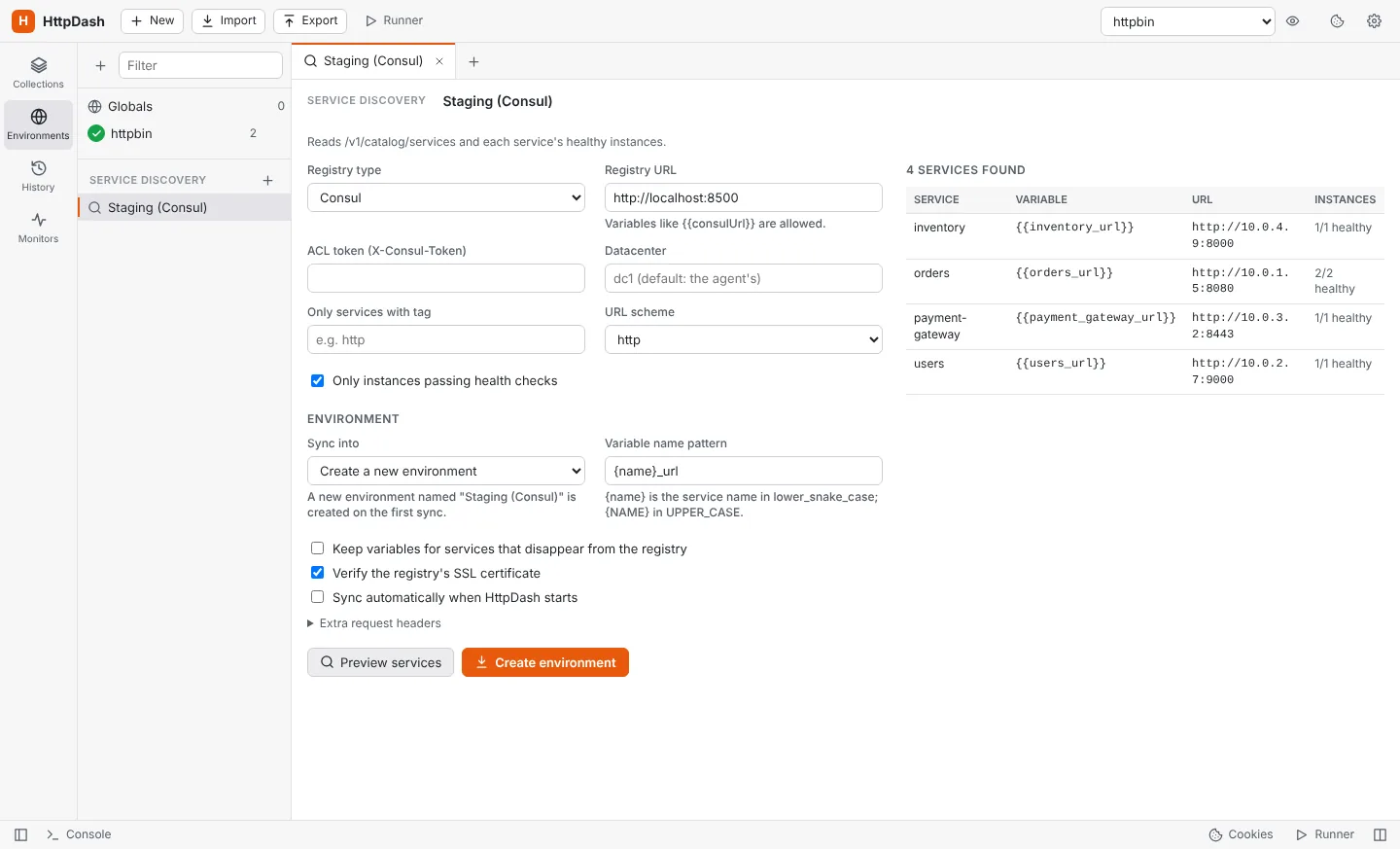
Connect Consul, Eureka, Kubernetes or your own JSON endpoint, and HttpDash creates an environment with one variable per service, like {{orders_url}}. Re-sync whenever services move: addresses update, new services appear, and the variables you added yourself stay put.

  • Preview before anything changes
  • Healthy instances only, with tag and namespace filters
  • Optional sync every time the app starts
Service discovery preview listing four services from Consul with their variables and URLs.

Send exactly what you mean

Requests leave from a native HTTP client, not a browser, so every header goes out as typed, including Referer, Origin, User-Agent, Host and Cookie. The timeline shows the exact request that was sent and how long each step took.

  • JSON, XML, form-data with files, URL-encoded, binary and GraphQL bodies
  • Basic, Bearer, API key, Digest, OAuth 2.0 and AWS Signature auth
  • Paste a cURL command into the URL bar to import it
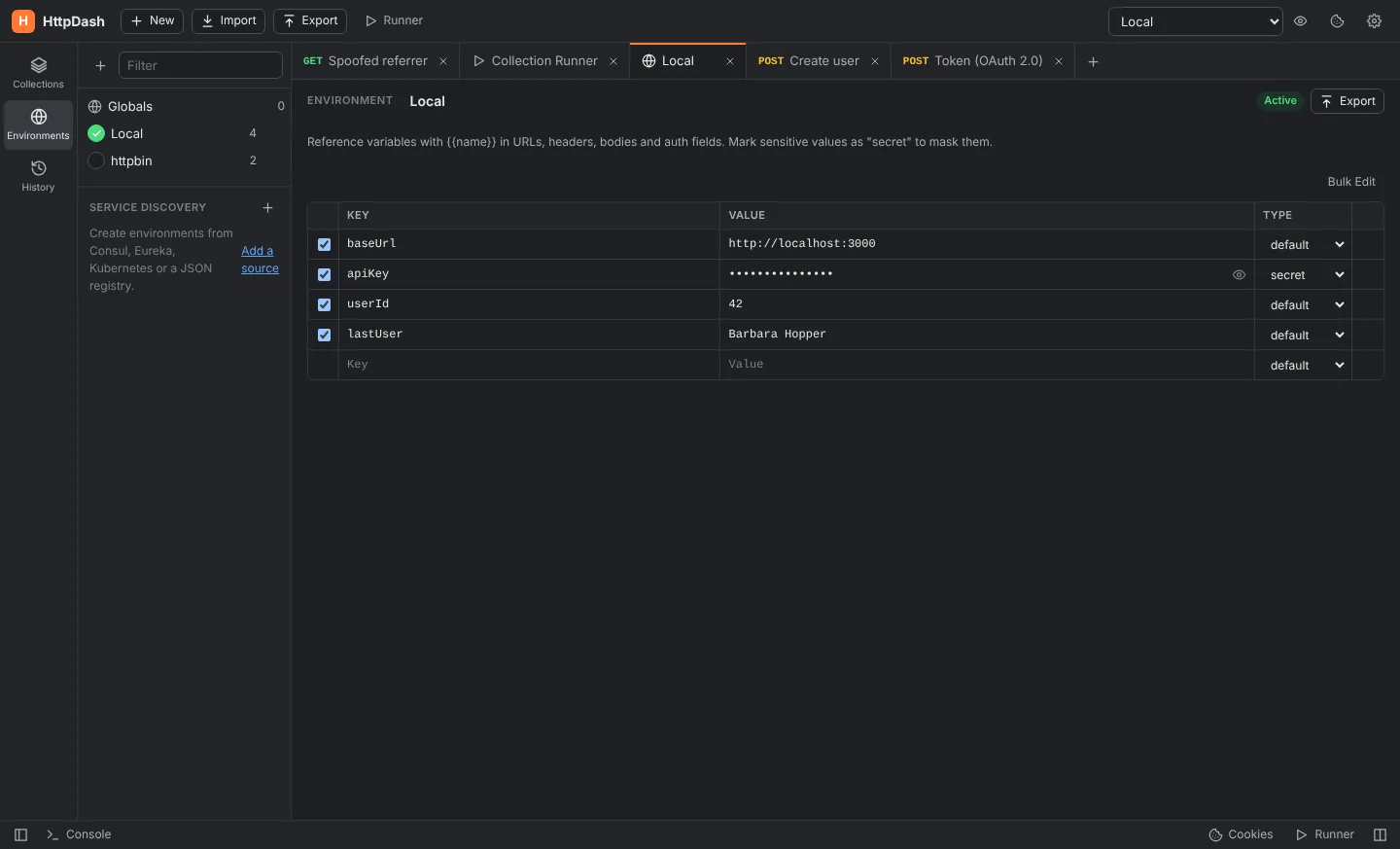
HttpDash in dark mode showing an environment with masked secret values.

Everything in one app

From the first request to the nightly check

  • Collections & environments

    Folders, tabs, history, globals and secret variables with {{autocomplete}} and hover previews.

  • Scripts & tests

    Pre-request and test scripts with a familiar pm API, Chai assertions, JSON Schema checks and a snippet library.

  • Collection runner

    Iterations, CSV/JSON data files, request ordering, delays and a detailed, exportable report.

  • Mock server

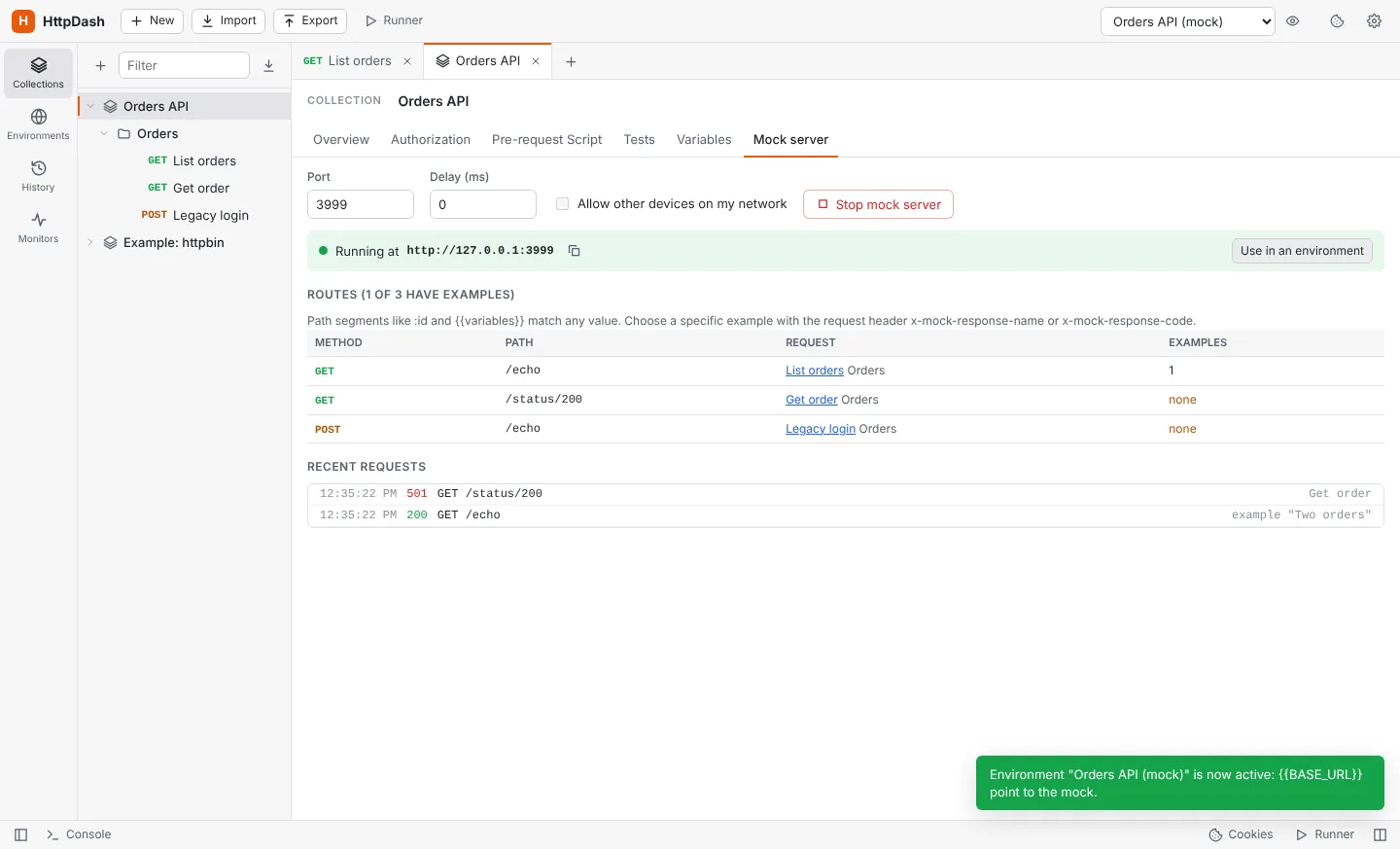
    Serve saved examples on a local port, pick responses with a header, and switch an environment to the mock in one click.

  • Monitors

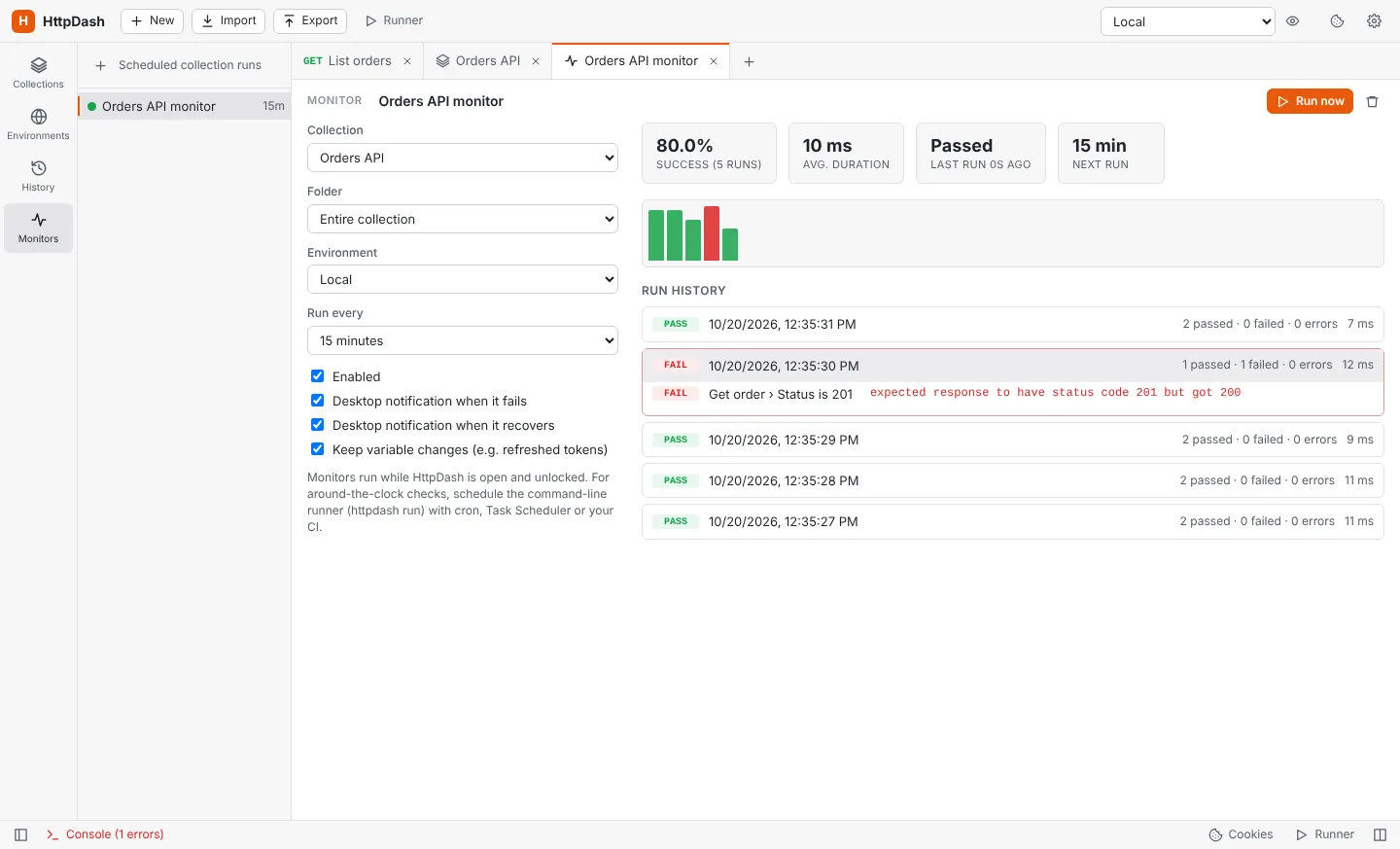
    Run a collection every few minutes and get a desktop notification when it fails, and again when it recovers.

  • Code generation

    Turn any request into cURL, fetch, Axios, Python, Go, PHP, C#, Java, PowerShell, wget or raw HTTP.

  • Import & export

    Bring in Postman collections, OpenAPI 3, Swagger 2 and cURL. Export everything as a backup, or as portable collection files.

  • Team sharing through git

    Share collections and environments through any git repository. One readable file per request, merges that just work, and secrets that never leave your computer.

Automation

Know when an API breaks before your users do

A monitor with 80% success over 5 runs, a duration chart and the failed test highlighted.
Monitors keep a history of every run with the exact test that failed.
Mock server running on port 3999 with its routes and recent requests.
Mock servers stand in for an API that's down or not built yet.

Command line

Run the same collections in CI

Export your workspace without secrets, commit it, and run it anywhere Node.js runs. Pass credentials as variables, get JUnit reports your pipeline already understands, and fail the build when a test fails.

  • Auth dependencies and scripts behave exactly as in the app
  • CLI, JSON and JUnit reports
  • Exit code 1 on any failed test or request
$ npm install -g github:restimguay/httpdash
$ httpdash run backup.json -e "QA" --env-var password=$PASS -r cli,junit

HttpDash  Orders API  (environment: QA)

→ List orders
  GET https://qa.example.com/orders [200 OK, 8.6KB, 91ms]
  ↳ ran "Get access token" first (expired) 200
  ✓ Status is 200
  ✓ Returns a list of orders

Total time 412 ms. PASSED

Security & privacy

Your requests, your machine, your rules

HttpDash has no account and no cloud sync. Collections, environments and history live in a folder on your computer.

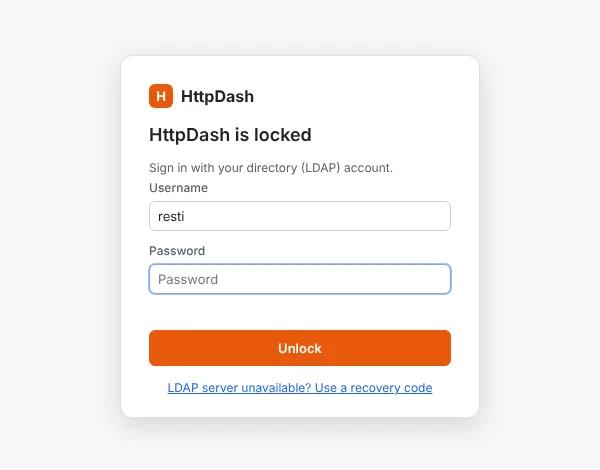
The HttpDash lock screen asking for an LDAP username and password.
  • Lock it with your directory

    Require an LDAP sign-in to open the app, limit it to certain users or a group, and lock it after a period of inactivity. While locked, the app shows no data at all.

  • Find secrets before they leak

    The secret scan spots keys, tokens and passwords typed straight into requests and moves them into masked variables with one click.

  • Share without credentials

    Exports can leave out every secret, token and password, while keeping {{variable}} references intact.

  • A record of what happened

    A local audit log notes sign-ins, exports, imports, runs and requests, keeping only method, host, path and status.

Download

Get HttpDash

Pick your platform. Your collections, environments and settings carry over when you update.

Windows

Windows 10 and 11, x64 and ARM64. Installer or portable app.

Download for Windows

Not signed yet: if SmartScreen appears, choose More info → Run anyway.

macOS

Apple Silicon and Intel. Disk image or zip.

Download for macOS

Not notarized yet: the first time, right-click the app and choose Open.

Command line

For CI servers and schedulers. Needs Node.js 22 or later.

npm install -g github:restimguay/httpdash

Then run httpdash run --help.